02 — Café POS, back office & ordering app

Tribal Brew Coffee

Brought every café counter, the head-office menu and customer orders onto one connected platform.

Client
Tribal Brew Coffee
Sector
Café & food service
Platform
Web POS · Mobile app
Roles
Head office · Outlet staff · Customers
Point of sale with a live order
Menu with live prices

Overview

A point of sale and back office for a multi-outlet coffee chain, with a customer ordering app. Outlet teams bill at the counter, head office runs the menu, offers, outlets and reports from one system, and customers browse the same live menu on their phones.

The challenge

Many cafés, one menu, no single system.

Tribal Brew runs cafés across Bengaluru and Mysuru, plus pop-ups at events. Every counter needs fast billing with the right drink options and taxes, every outlet needs the same menu and prices, and customers now expect to order from their phones.
What we built

A counter POS, a central back office and a customer app on one catalogue.

Crita built a web POS for the counter — categories, search, drink options with their own prices, GST on every bill and order status — on a back office where head office manages items, modifier groups, discounts, outlets, staff roles and reports. The customer app reads the same live menu and outlet list, so what customers see is what the counter sells.

Product experience

Inside the product.

  1. 01

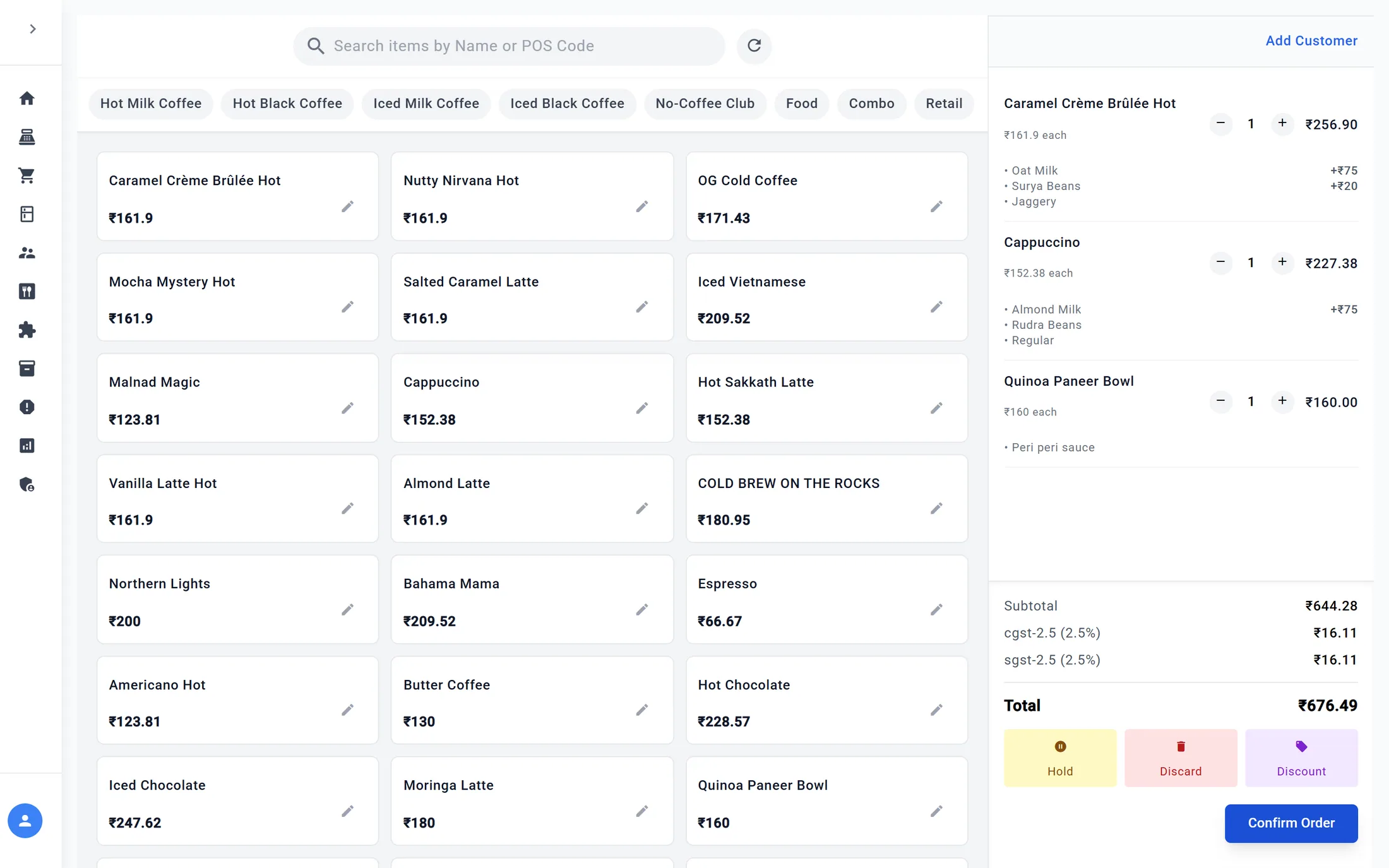
    Orders at the counter

    Tap items, choose milk, roast and sweetener, and the bill — with tax — builds as you go.

    Point of sale with a live order
  2. 02

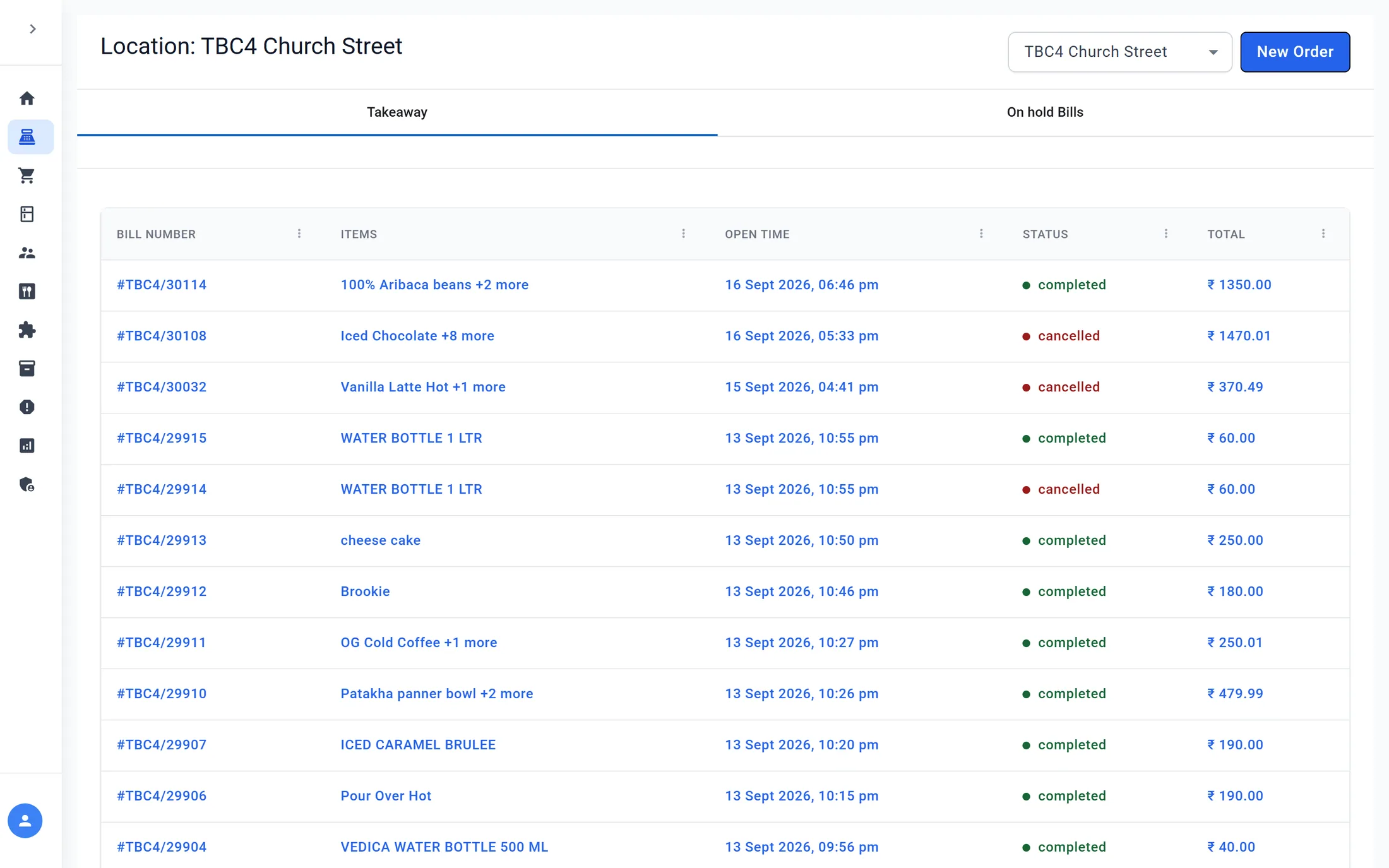
    Every bill, every outlet

    Takeaway and held bills per outlet, with status and totals at a glance.

    Outlet bills
  3. 03

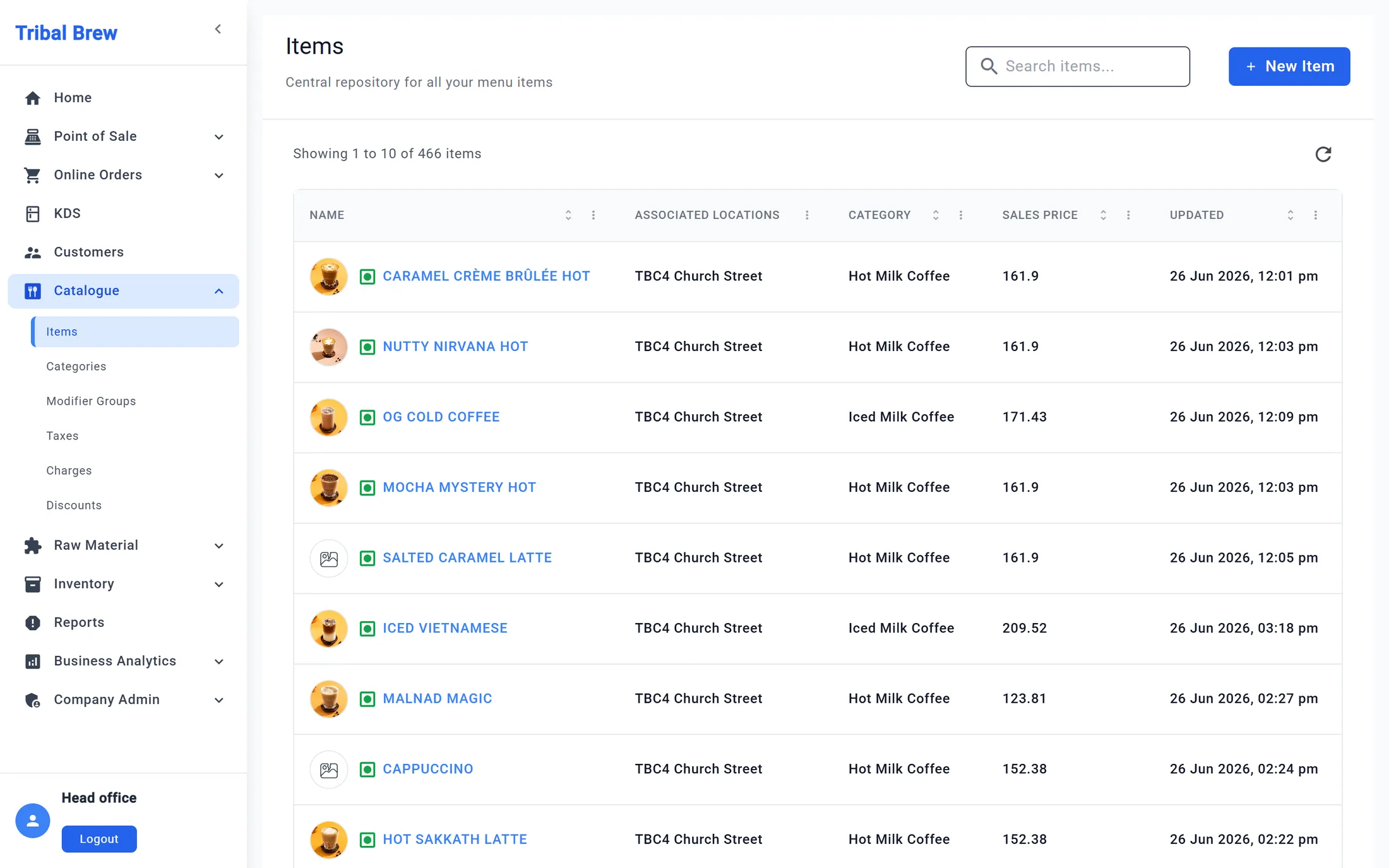
    A menu managed once

    Items with photos, prices and categories, assigned to the outlets that sell them.

    Menu catalogue
  4. 04

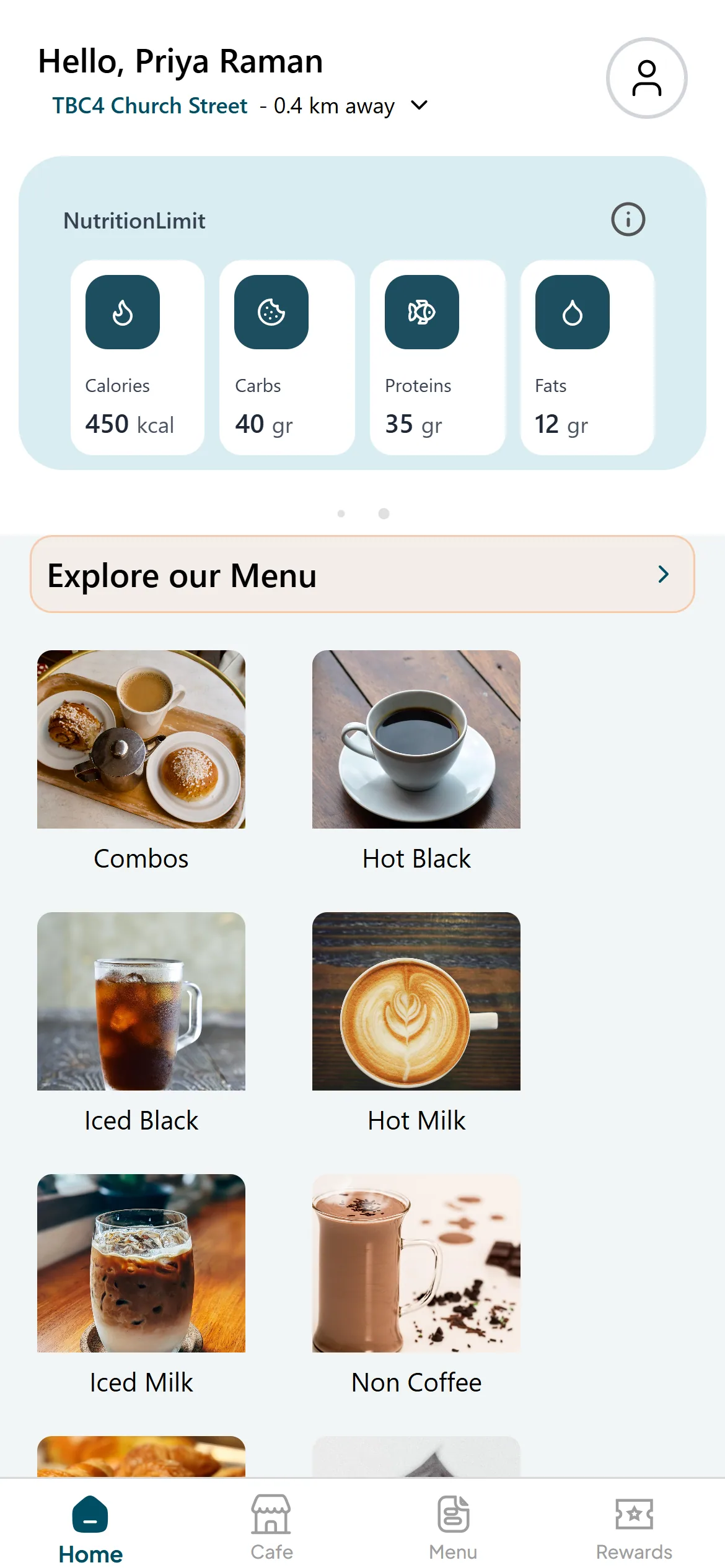
    The same menu, on the customer’s phone

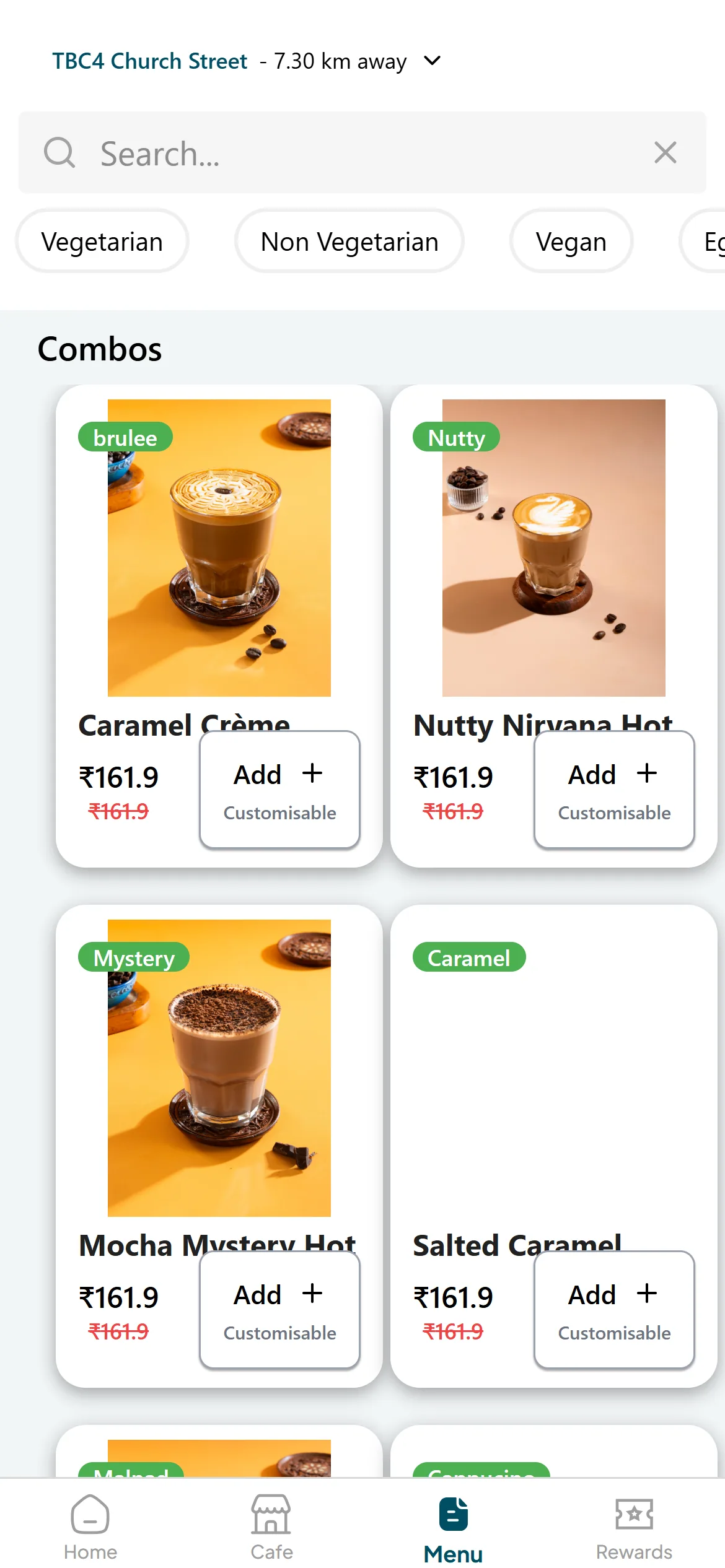
    The ordering app shows each café’s live menu, photos and prices.

    Menu with live prices

Key capabilities

What the platform does.

  1. 01

    Counter-speed POS

    Categories, search by name or POS code and a running bill with tax — built for the queue at the counter.

  2. 02

    Drink options that price themselves

    Milk, roast and sweetener choices carry their own surcharges, applied as the order is taken.

  3. 03

    Bills and order status

    Every bill per outlet with its items, GST split and status — ready to pick up, completed or cancelled.

  4. 04

    One catalogue for every outlet

    Items, categories, modifier groups, taxes and charges, managed centrally and assigned to the outlets that sell them.

  5. 05

    Offers under control

    Discounts for staff, reviews, events and subscriptions, defined once by head office.

  6. 06

    Customer ordering app

    Customers pick their café, browse the live menu with photos and prices, and customise drinks before ordering.

Role-based experience

Built for every role.

Each role sees only what it needs, on the device it actually works on.

Menu catalogue

Back office · web

Head office

Runs the menu, offers and outlets.

  • Items, categories and modifier groups
  • Discounts, taxes and charges
  • Outlets, staff roles and employees
  • Sales, product, category and tax reports
Point of sale with a live order

POS · web

Outlet staff

Bills at the counter, fast.

  • Takeaway and held bills for their outlet
  • Drink options and a running bill with GST
  • Ready, completed and cancelled status
  • Printed bills
Home
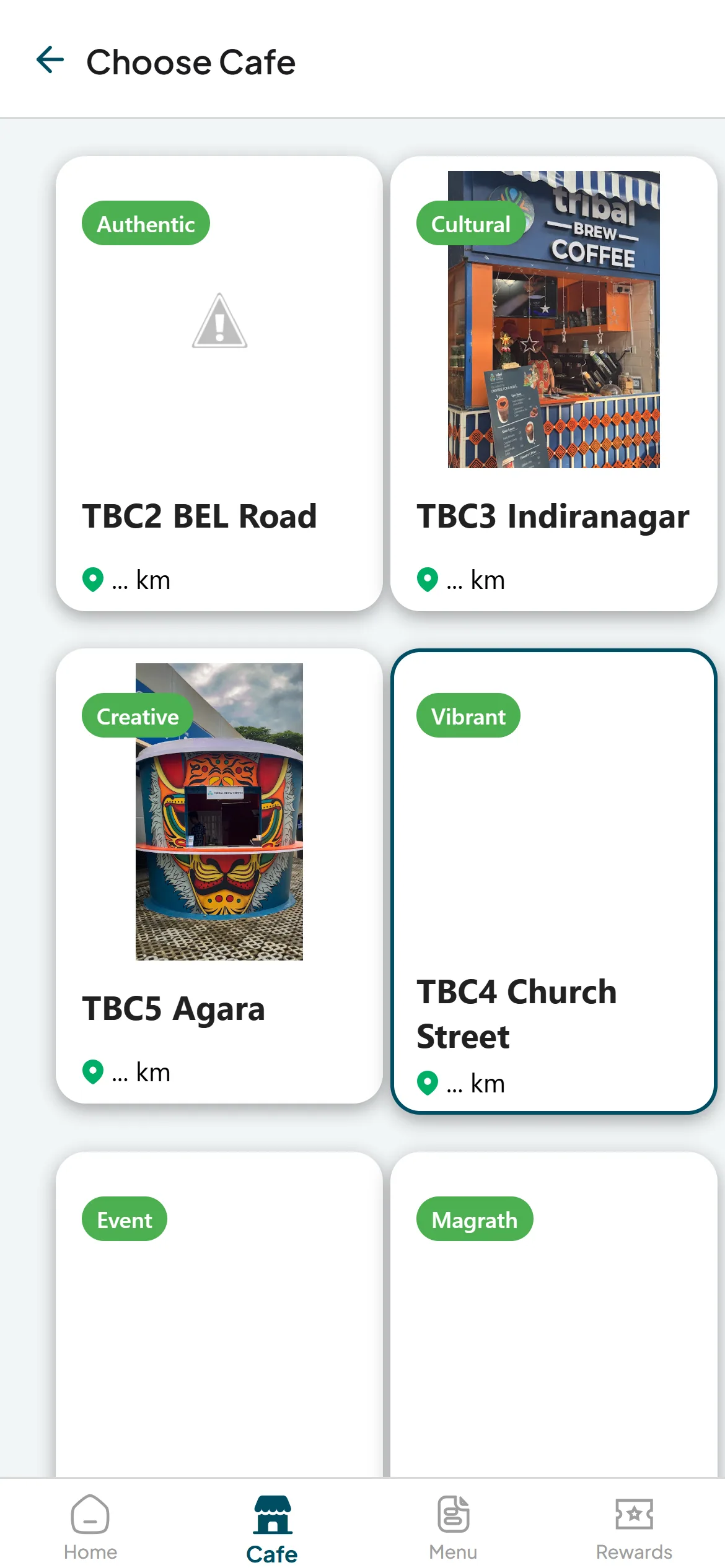
Choose a café

Mobile app

Customer

Orders from the phone.

  • Nearest café and its live menu
  • Photos, prices and customisable drinks
  • Every café and its character
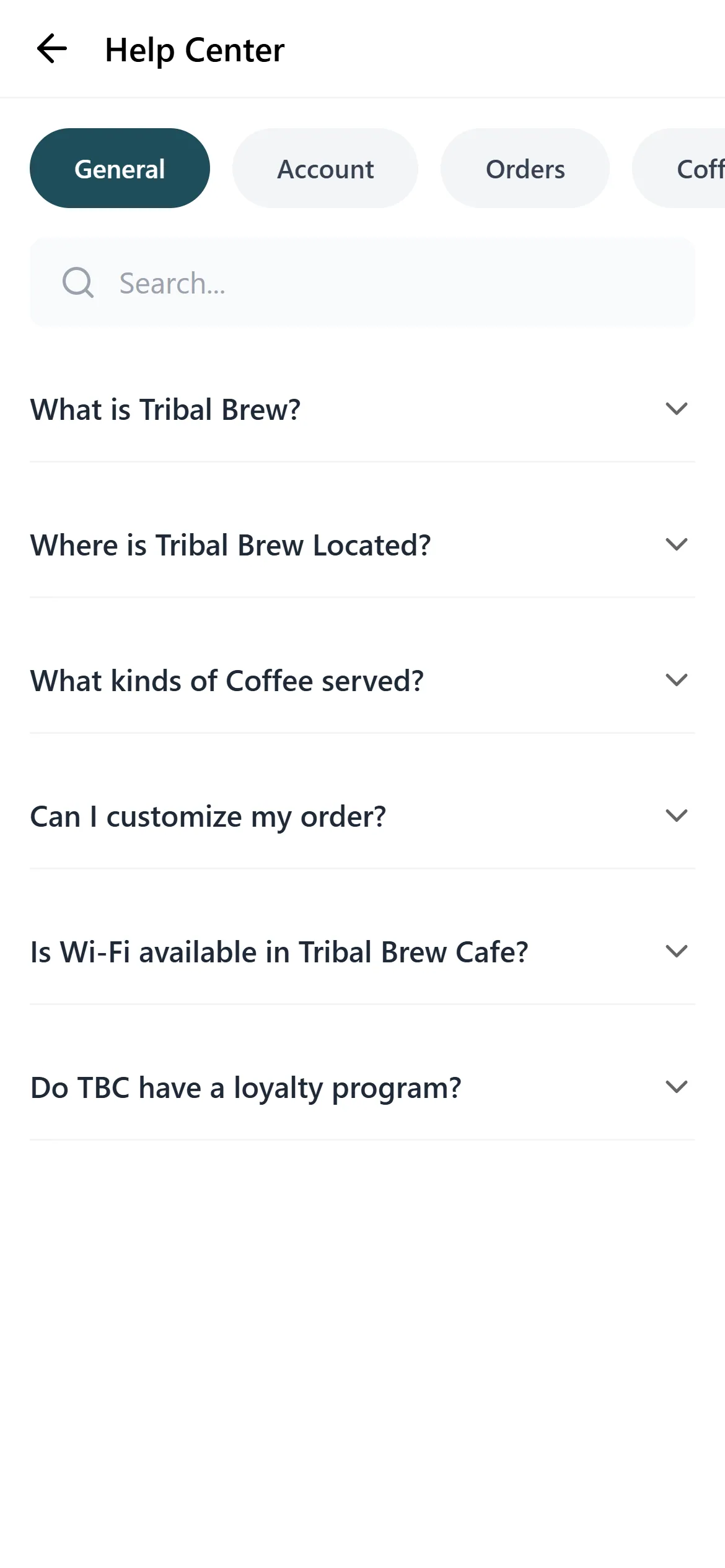
  • Help centre and order history

Responsive experience

The café, in the customer’s pocket.

The ordering app opens on the nearest café with its live menu and prices — the same catalogue the counter sells from.

Home

Home

Menu with live prices

Menu with live prices

Choose a café

Choose a café

Help centre

Help centre

Business value

What it changes for the business.

  1. One menu, everywhere

    Prices, options and offers change once and reach every outlet and the app.

  2. Faster counters

    Drink options and taxes are applied as the order is taken, not worked out by hand.

  3. Offers that stay controlled

    Discounts are set by head office, not improvised at the counter.

  4. Ready for direct orders

    The customer app runs on the same system as the outlets.

Technology & delivery

  • Angular
  • React Native (Expo)
  • NestJS API
  • Razorpay
  • Google Sign-In
  • Role-based access
  • Web POS and customer app on one API and one catalogue
  • Drink options with their own prices, applied as orders are taken
  • GST split on every bill; outlet reports downloadable as PDF or Excel

Product demo

See Tribal Brew Coffee in a guided demo.

Our team will walk you through the POS and Back office views and answer your questions.

Request Demo →

Opens an email to abishek@crita.in

Live outlet screens, shown without customer details. The customer app is shown with a demonstration profile.