08 — Expense, approval & budget platform

Expense Log

Replaced expense approvals lost in email and chat with tracked claims, budgets and reimbursements.

Client
A Crita product
Sector
Finance & operations
Platform
Web · Responsive
Roles
Admin · Manager · Finance · Employee
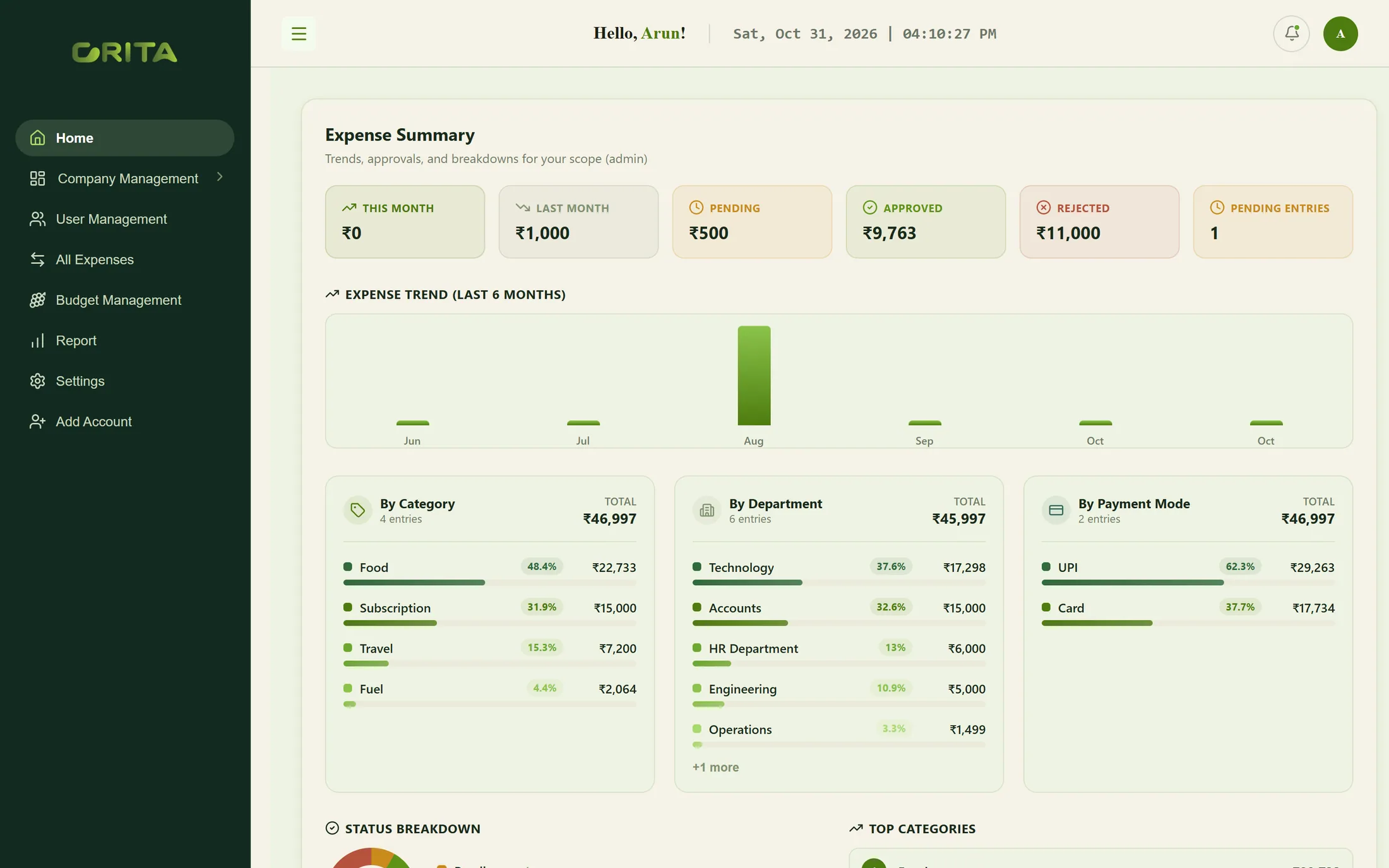
Expense summary
Expense summary

Overview

A multi-company expense platform: employees log claims, managers approve them for their department, finance reimburses, and administrators see spend by category, department and payment mode against each department’s budget.

The challenge

Receipts in inboxes, approvals in chats.

Expense claims usually travel by email and messaging apps. Approvals are hard to trace, reimbursements are tracked in spreadsheets, and nobody can compare a department’s spending with its budget until the month is over.
What we built

One flow, from claim to reimbursement.

Crita built Expense Log around companies and roles. Claims carry their category, department and payment mode; managers approve or reject within their department; finance records reimbursements; and budgets are set per department and month, so reports compare spend with plan.

Product experience

Inside the product.

  1. 01

    The month in one view

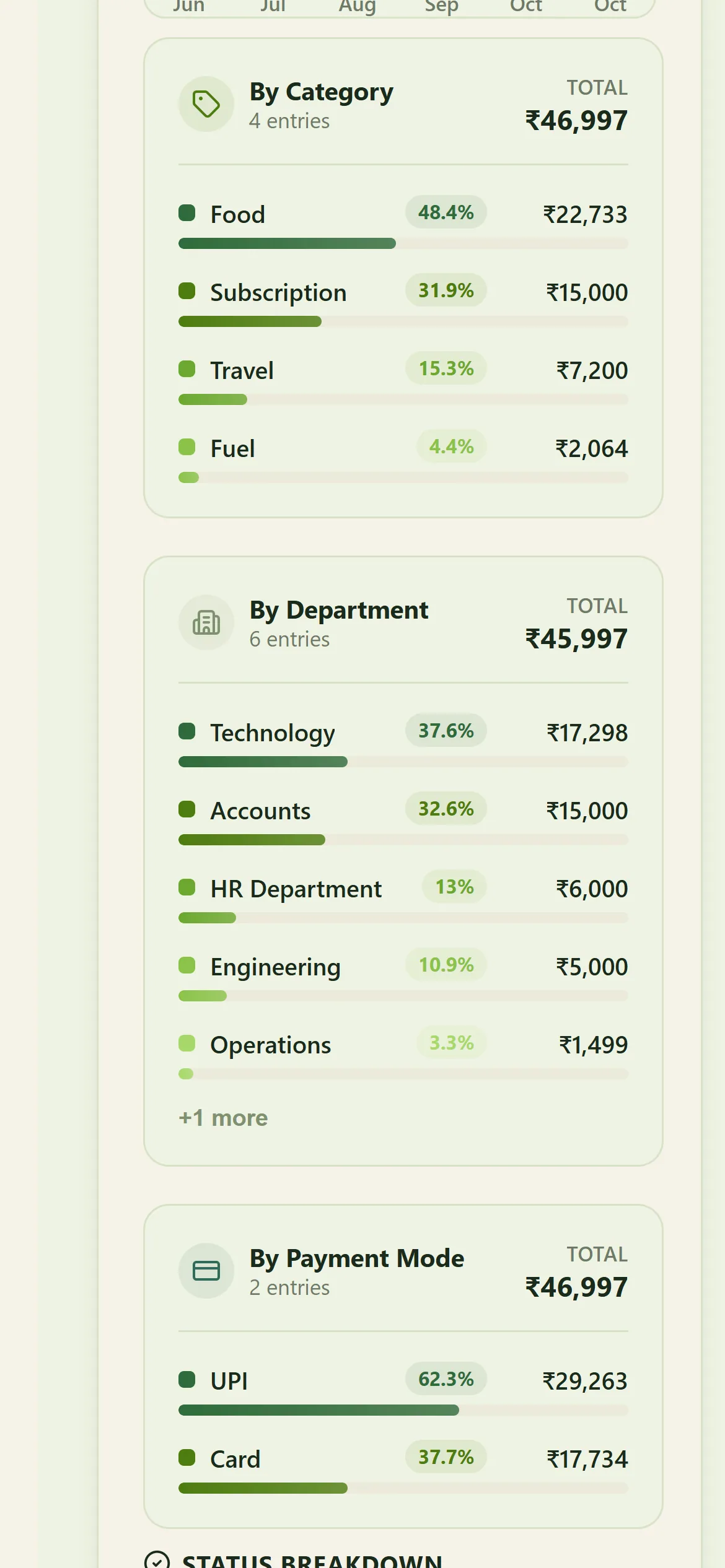
    Totals by status, a six-month trend and the split by category, department and payment mode.

    Expense summary
  2. 02

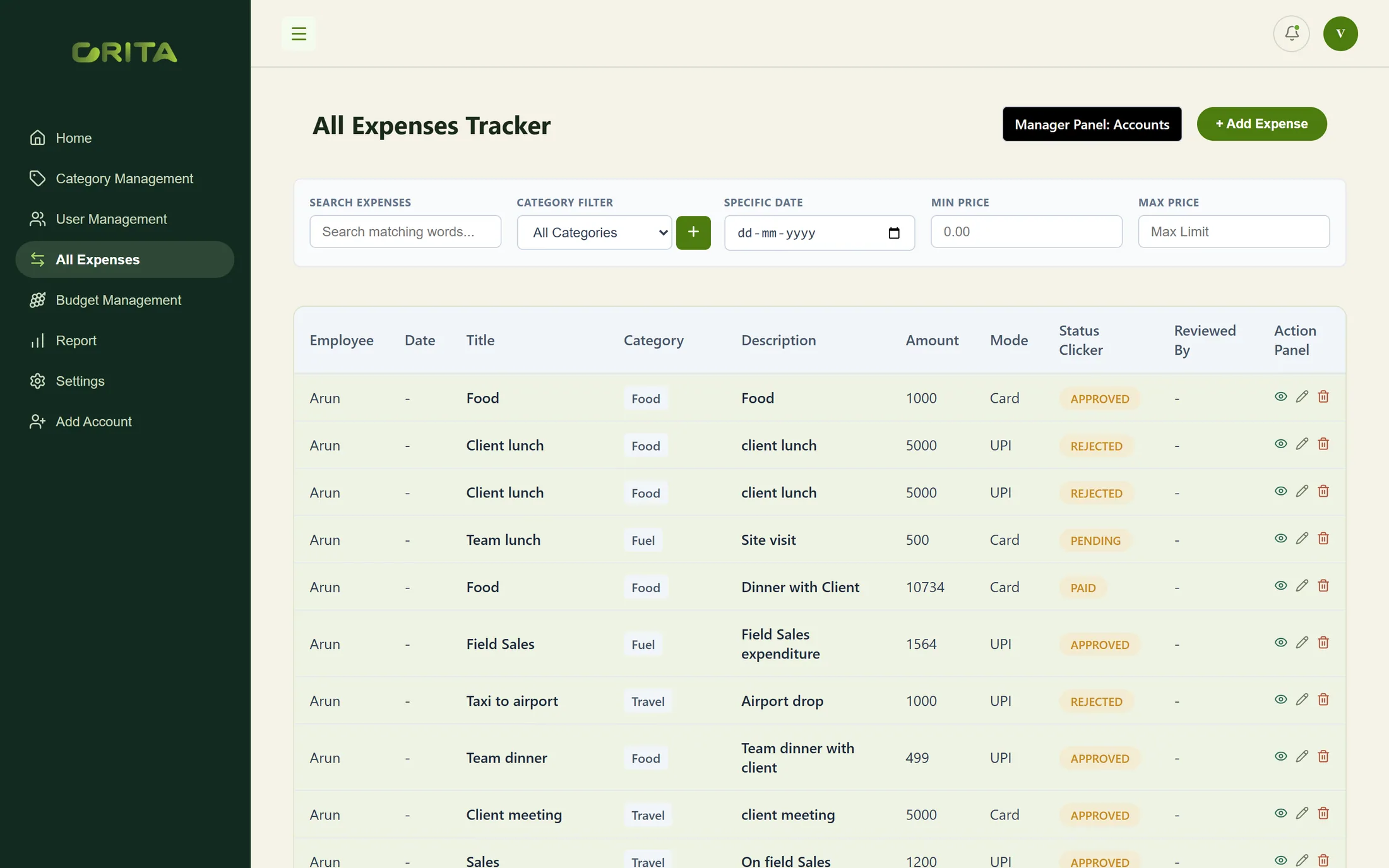
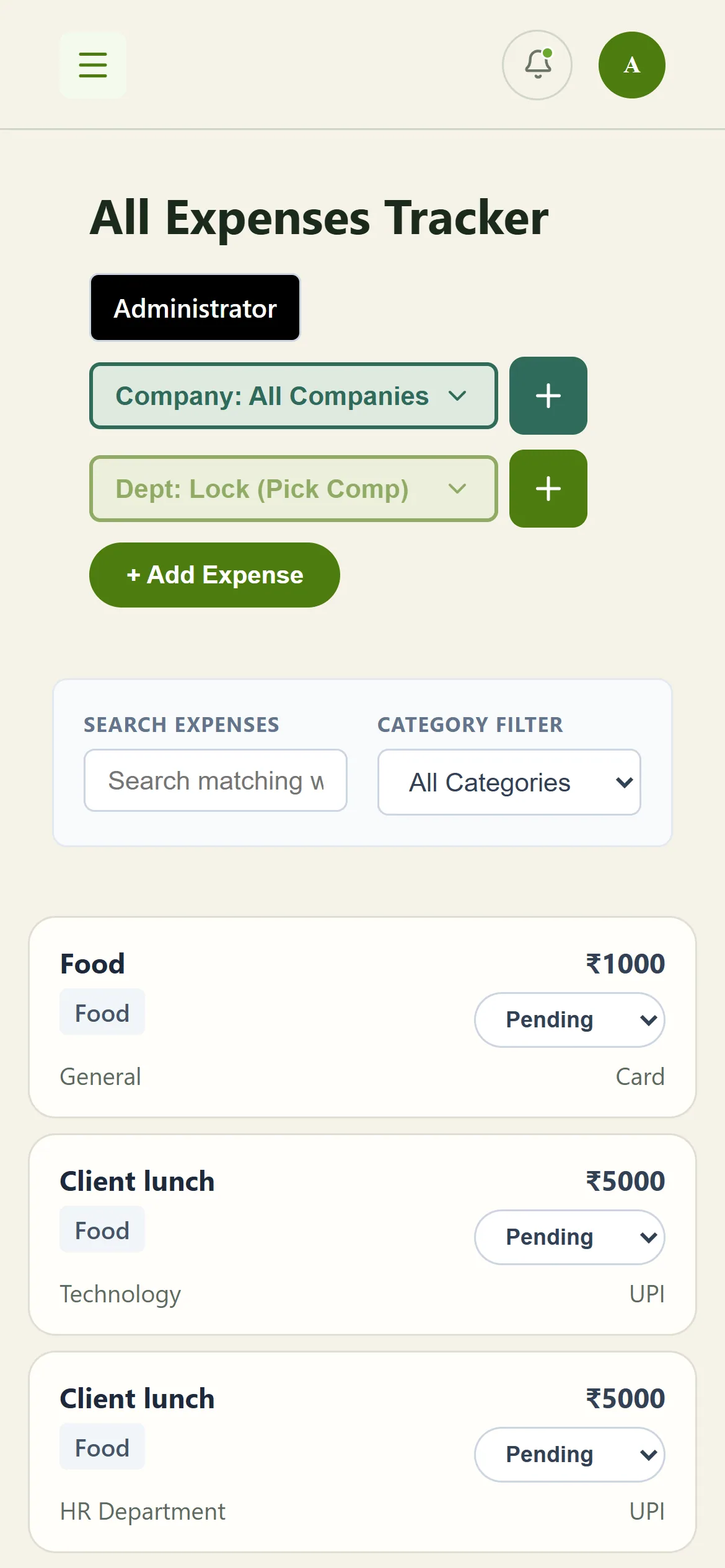
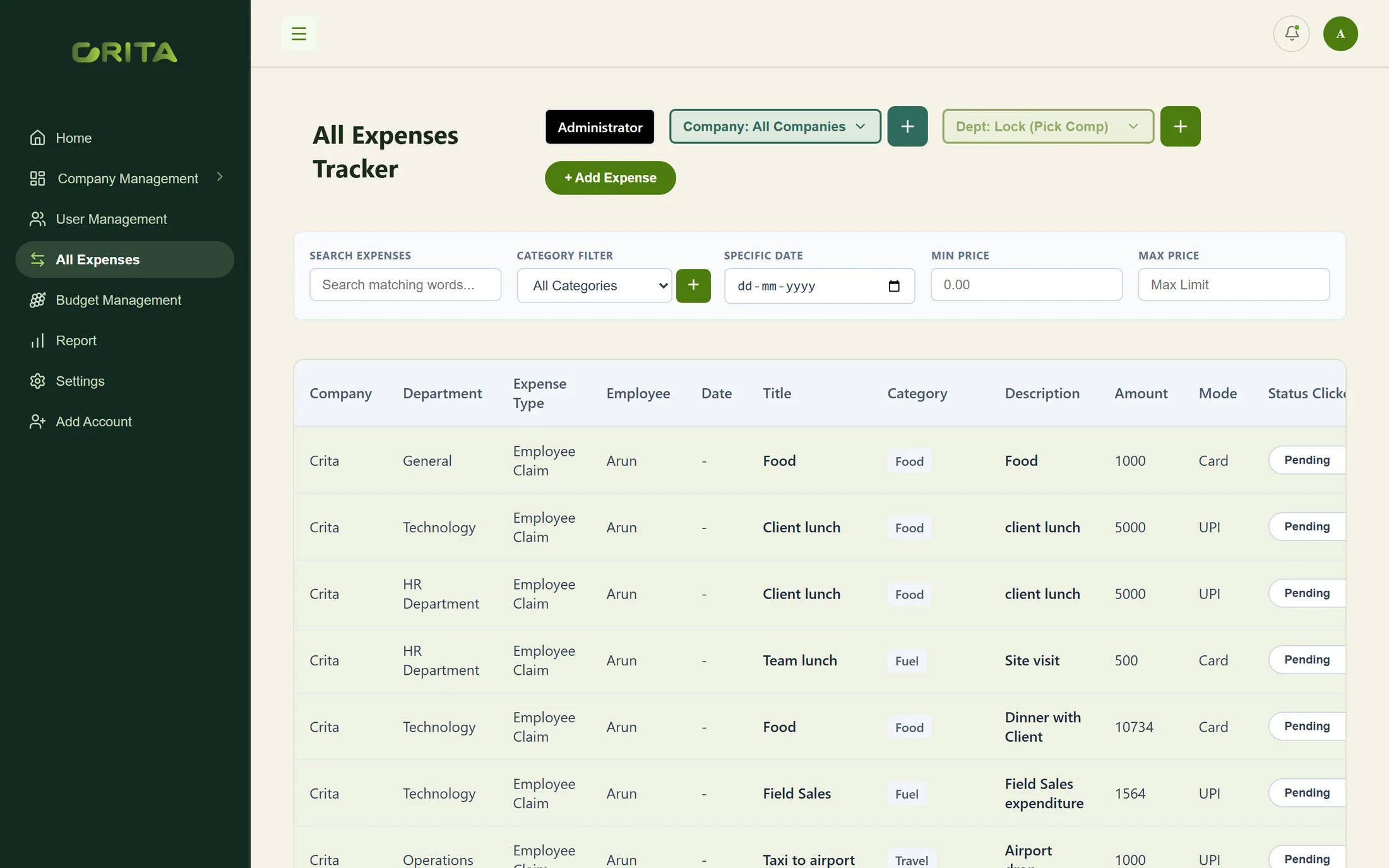
    Every claim, traceable

    Filter claims by company, department, category, date or amount, and see where each one stands.

    All expenses tracker
  3. 03

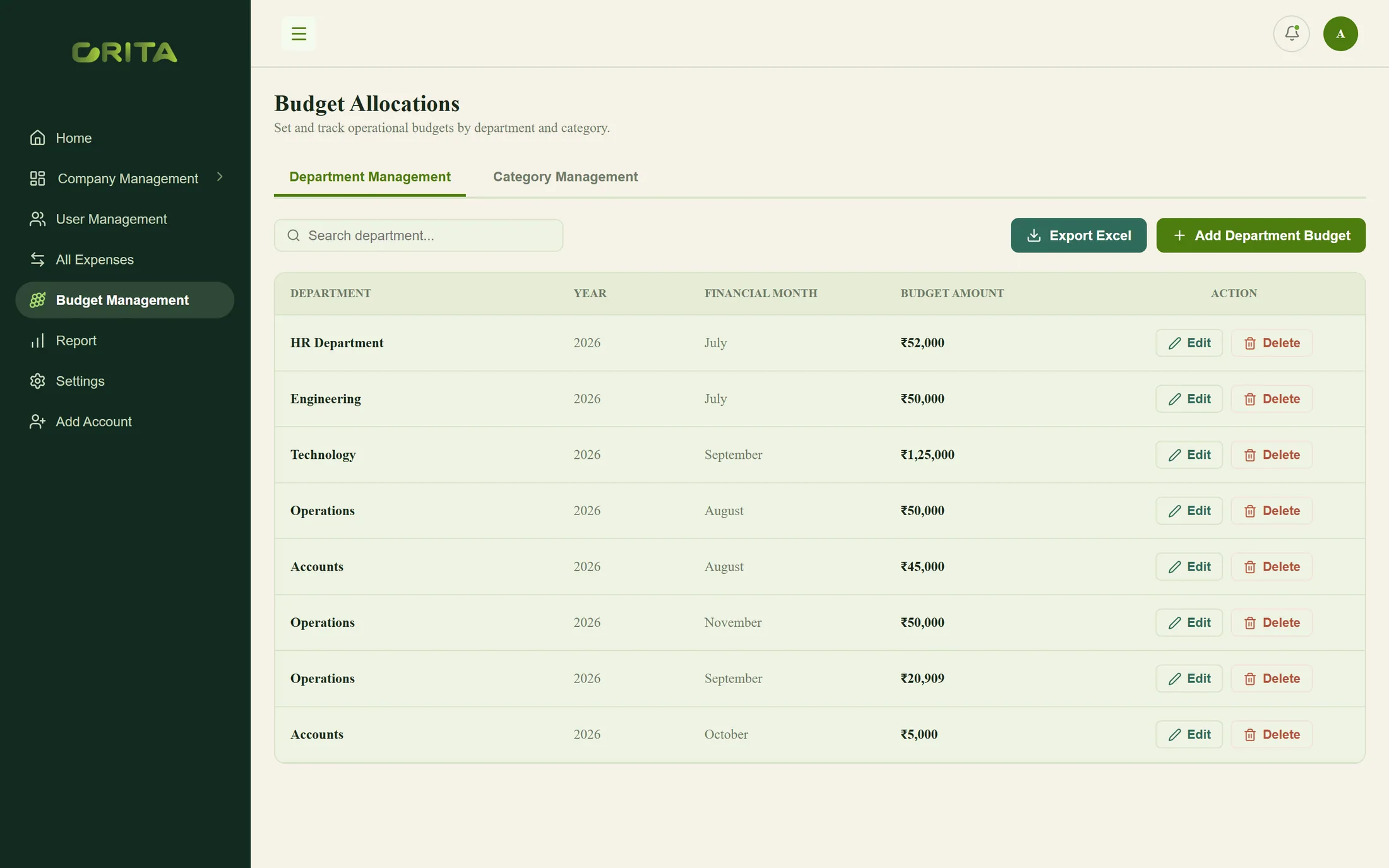
    Budgets set in advance

    Department budgets by financial month, ready for comparison with actual spend.

    Department budgets
  4. 04

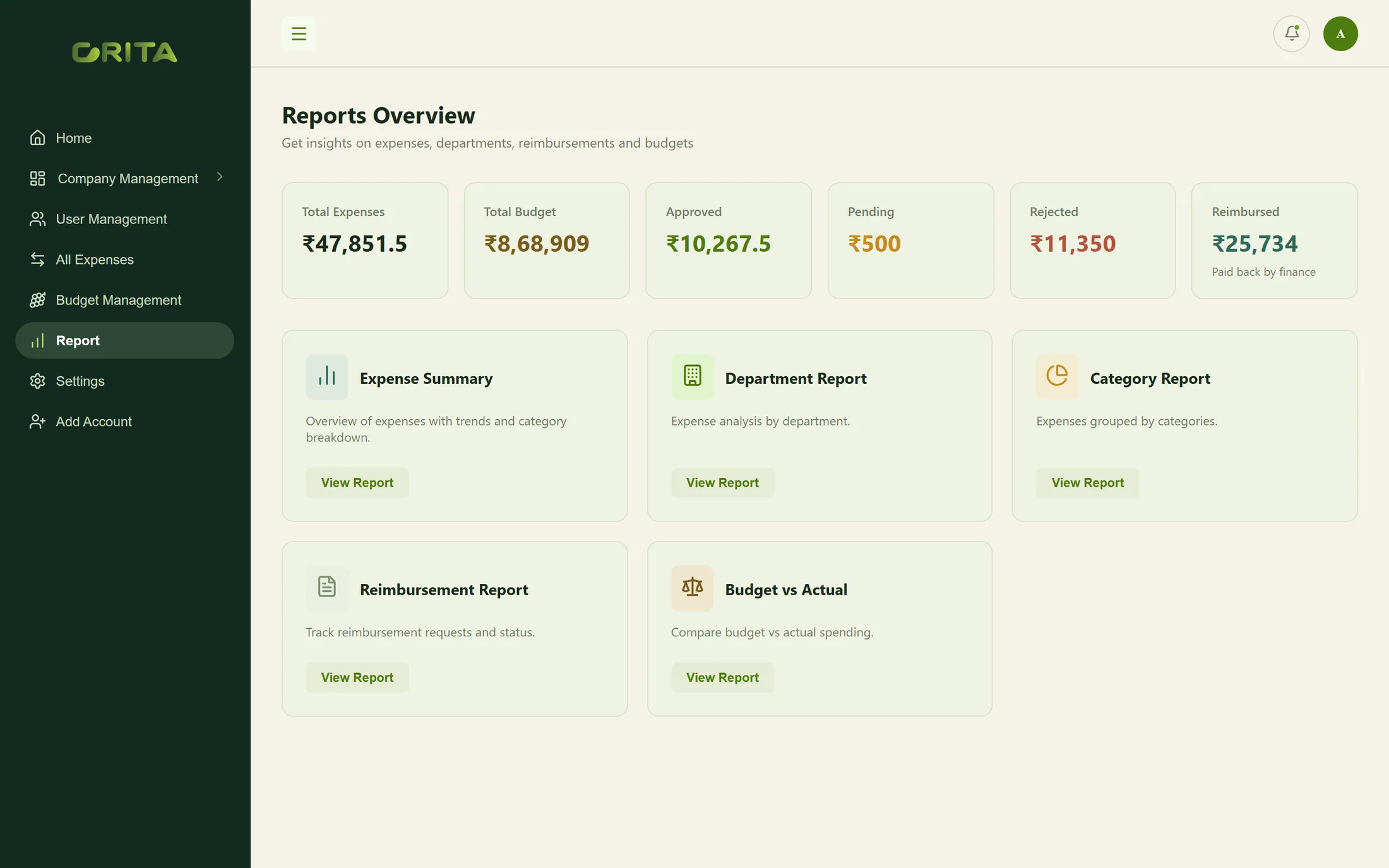
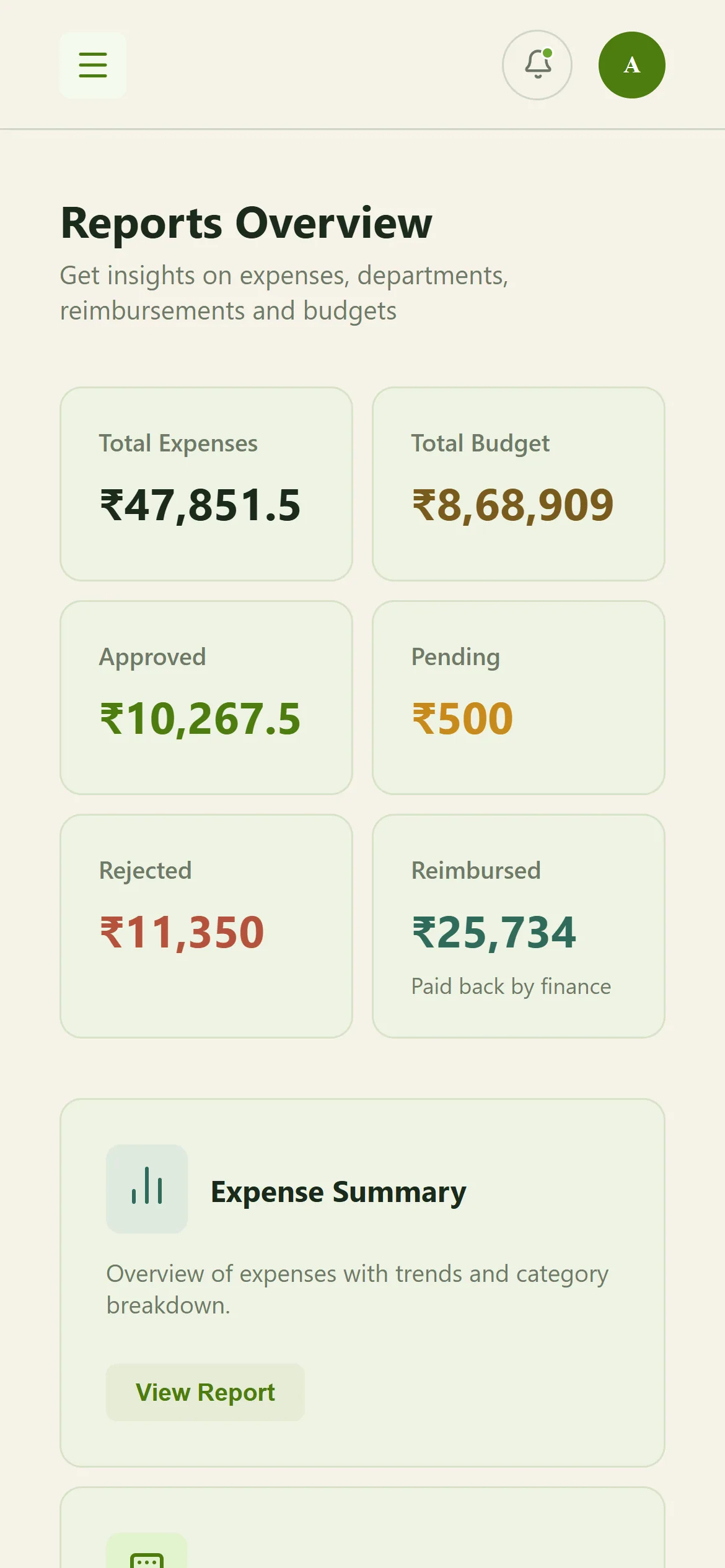
    Reports for finance

    Expenses, budgets, approvals, rejections and reimbursements, summarised and drillable.

    Reports overview

Key capabilities

What the platform does.

  1. 01

    Spend at a glance

    This month, last month, pending, approved and rejected totals, with a six-month trend.

  2. 02

    Where the money goes

    Spend by category, department and payment mode, with the status of every claim.

  3. 03

    Claims with a status

    Every claim with its category, amount and mode — pending, approved, rejected or paid.

  4. 04

    Budgets by department

    Monthly budgets per department and category, exportable to Excel.

  5. 05

    Reports that answer questions

    Expense summary, department, category, reimbursement and budget-versus-actual reports.

  6. 06

    Companies, departments and roles

    Several companies on one platform, each with departments and admin, manager, finance and employee users.

Role-based experience

Built for every role.

Each role sees only what it needs, on the device it actually works on.

Expense summary

Desktop & mobile

Administrator

Sees every company and department.

  • Spend summary, trends and breakdowns
  • Companies, departments and users
  • Budgets by department and category
  • Reports across the business
Department expenses with approval status

Desktop

Manager

Approves for their department.

  • Department expense tracker with status
  • Approve or reject claims
  • Expense categories
  • Department budgets

Responsive experience

Claims and spend, on the go.

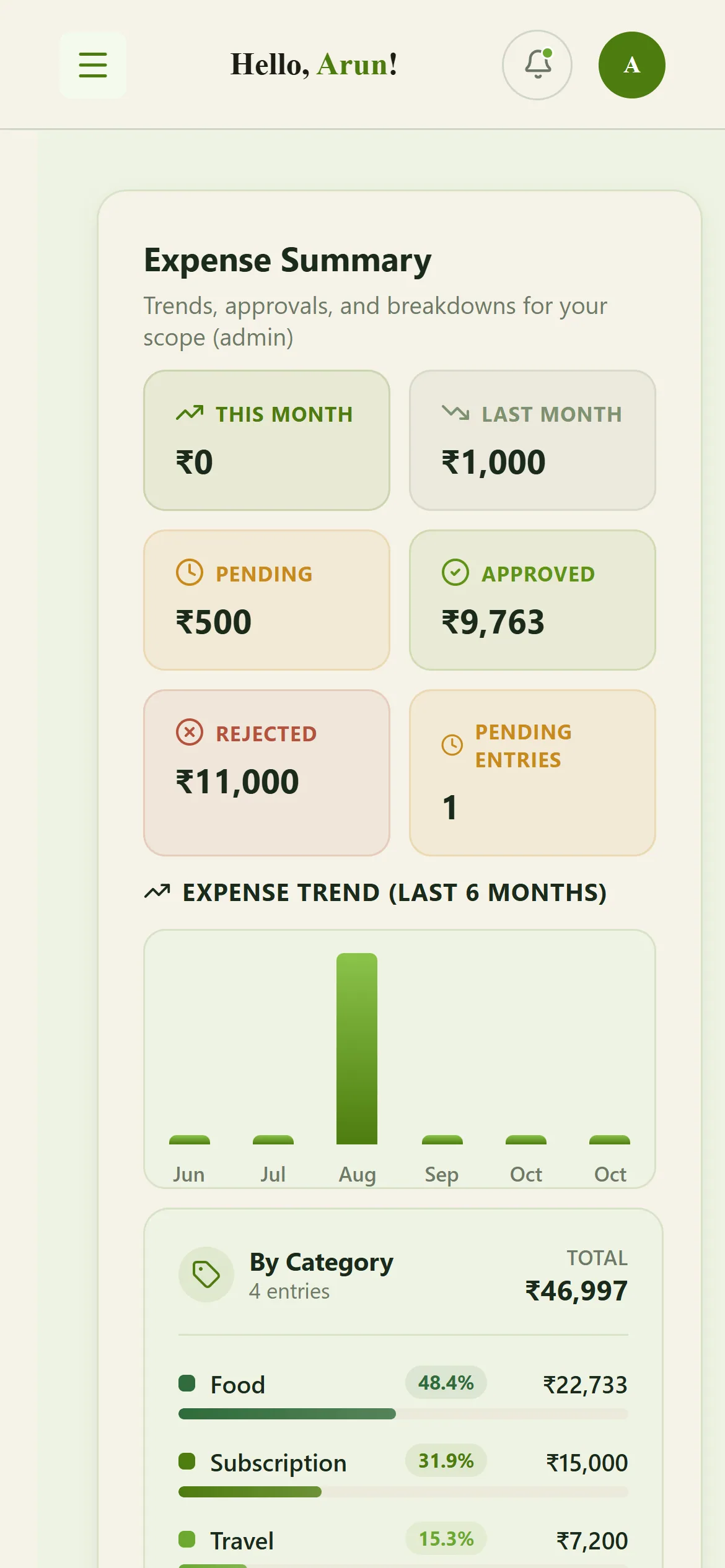
Summaries, trends and the expense tracker adapt to a phone, so approvals don’t wait for a desk.

Expense summary

Expense summary

Spend by category, department and payment mode

Spend by category, department and payment mode

Expense tracker

Expense tracker

Reports

Reports

Business value

What it changes for the business.

  1. Faster approvals

    Claims reach the right manager with what they need to decide.

  2. Budgets that mean something

    Spend is compared with each department’s budget as it happens.

  3. Clear reimbursements

    Finance sees what is approved, paid back or still pending.

  4. Ready for groups

    Several companies run on one platform, each with its own departments and users.

Technology & delivery

  • React
  • FastAPI
  • Python
  • JWT roles
  • Multi-company
  • Excel export
  • Role-scoped data: managers see their department, administrators every company
  • Hierarchical expense categories
  • Department budgets by financial month, exportable to Excel

Product demo

See Expense Log in a guided demo.

Our team will walk you through the Administrator and Manager views and answer your questions.

Request Demo →

Opens an email to abishek@crita.in

Shown with sample companies and test data; names and emails are anonymised.