06 — Warehouse & inventory management

City Threads

Replaced a memory-dependent inventory process with barcoded stock tracked bin by bin.

Client
City Threads Textiles
Sector
Textile distribution
Platform
Web · Mobile app
Roles
Administrator · Warehouse Executive
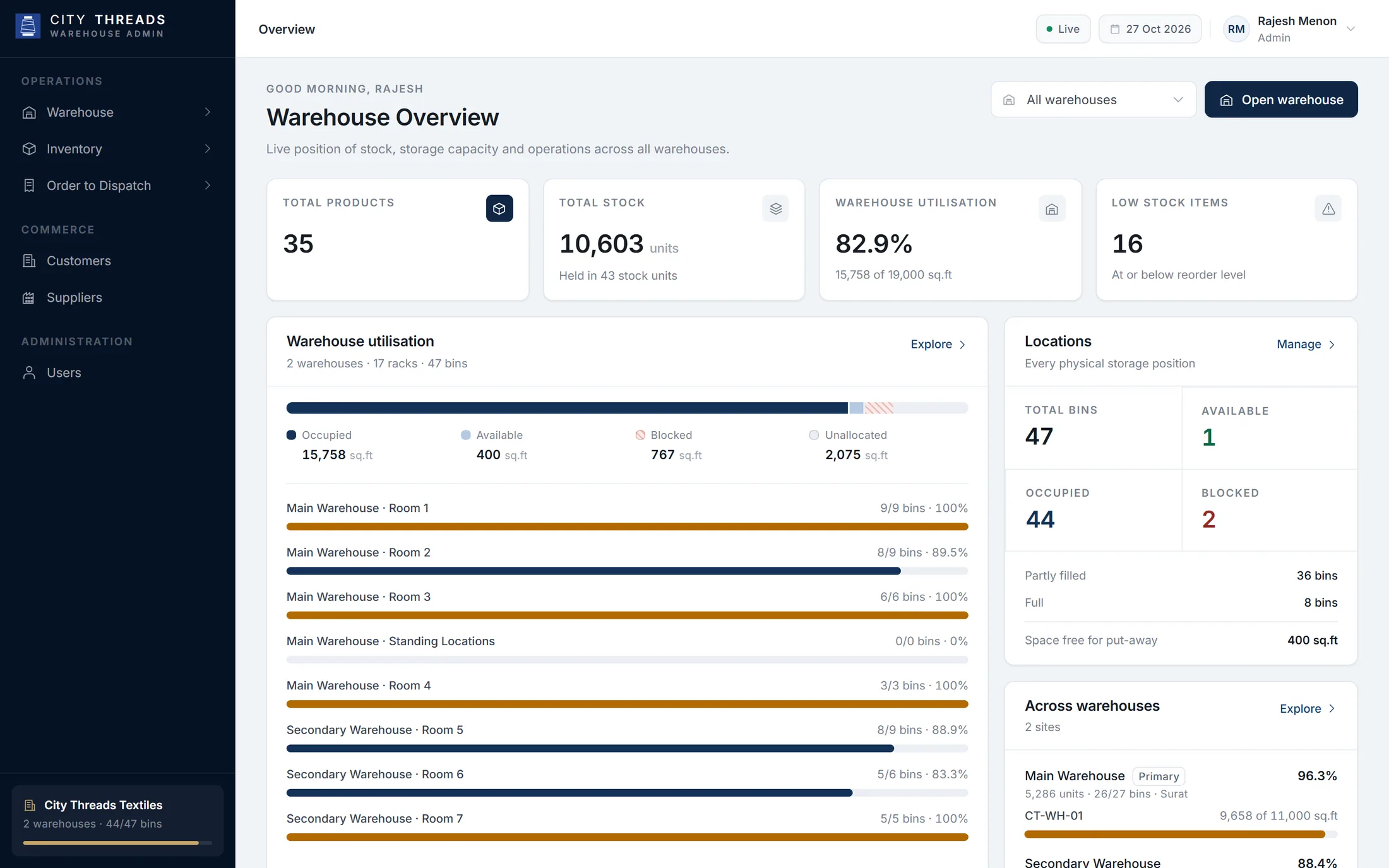
Warehouse overview
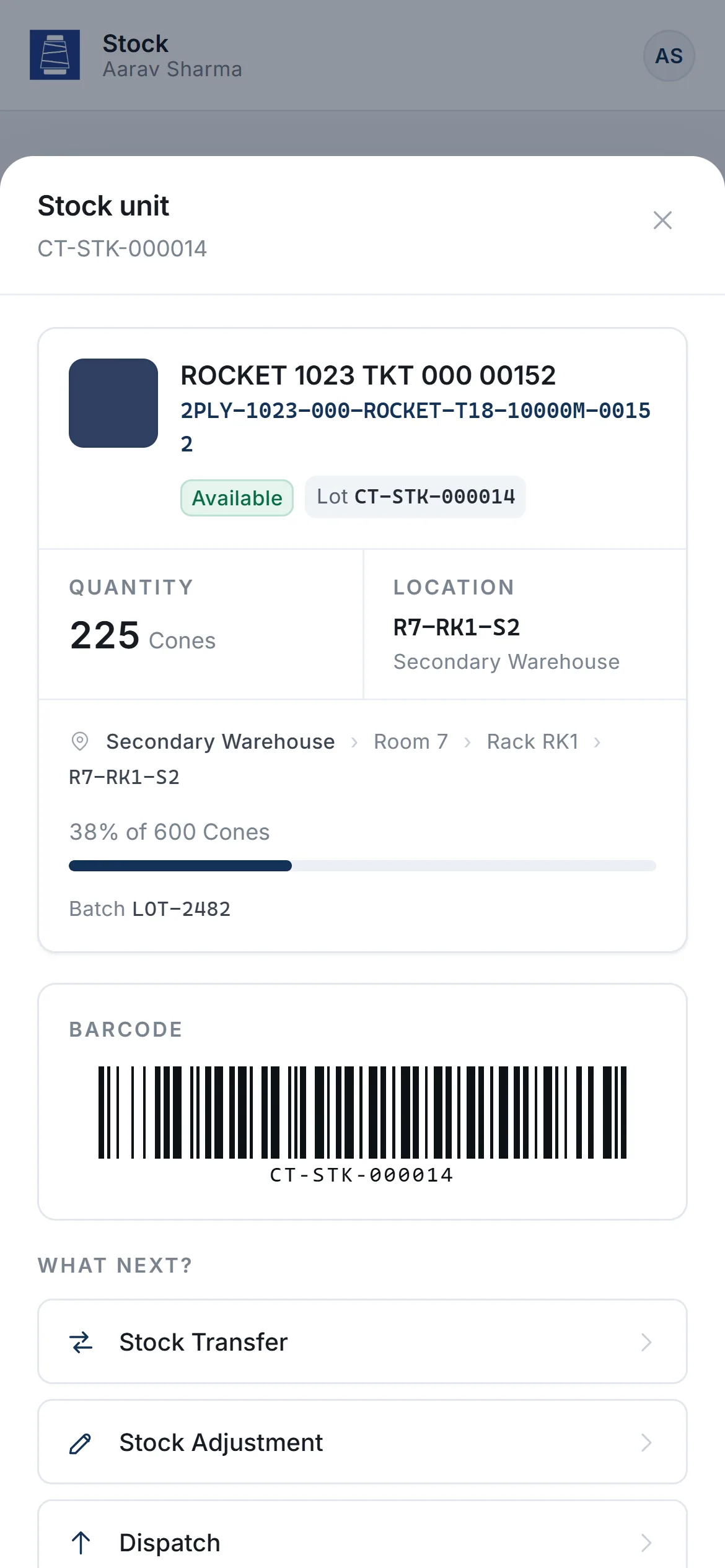
Stock unit with barcode

Overview

A warehouse management system for a textile distributor: barcoded stock units, a visual map of every rack and bin, and an order-to-dispatch flow — with a one-handed phone app for the warehouse floor.

The challenge

Two warehouses. A fragmented inventory process.

City Threads stores thread stock across racks and bins in two warehouses. With a fragmented, manual process, finding a lot, knowing which space was free and tracing what moved where took time — and depended on the people who remembered.
What we built

A barcode on every lot. A map of every bin.

Crita built a warehouse system where every physical lot becomes a stock unit with a permanent ID and barcode. Administrators manage the structure, orders and stock from a desktop workspace; executives receive, move, count, pick and dispatch from their phone — scanning instead of searching.

Product experience

Inside the product.

  1. 01

    The whole operation, live

    Stock, utilisation, locations, count discrepancies and recent sales across both warehouses.

    Warehouse overview
  2. 02

    Area, rack, bin

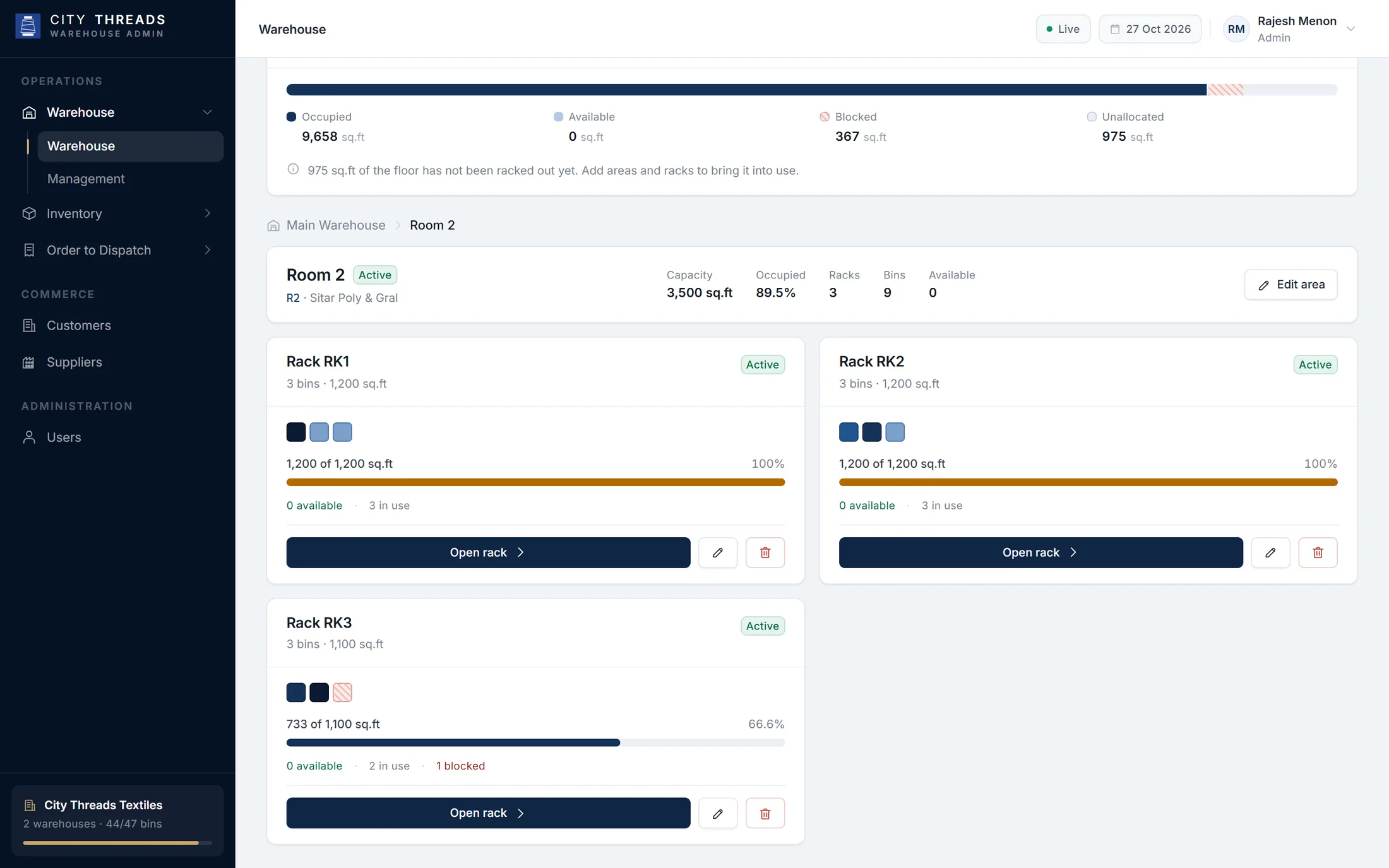
    A visual map of the floor: capacity, occupancy and blocked locations at every level.

    Area → rack → bin
  3. 03

    From order to truck

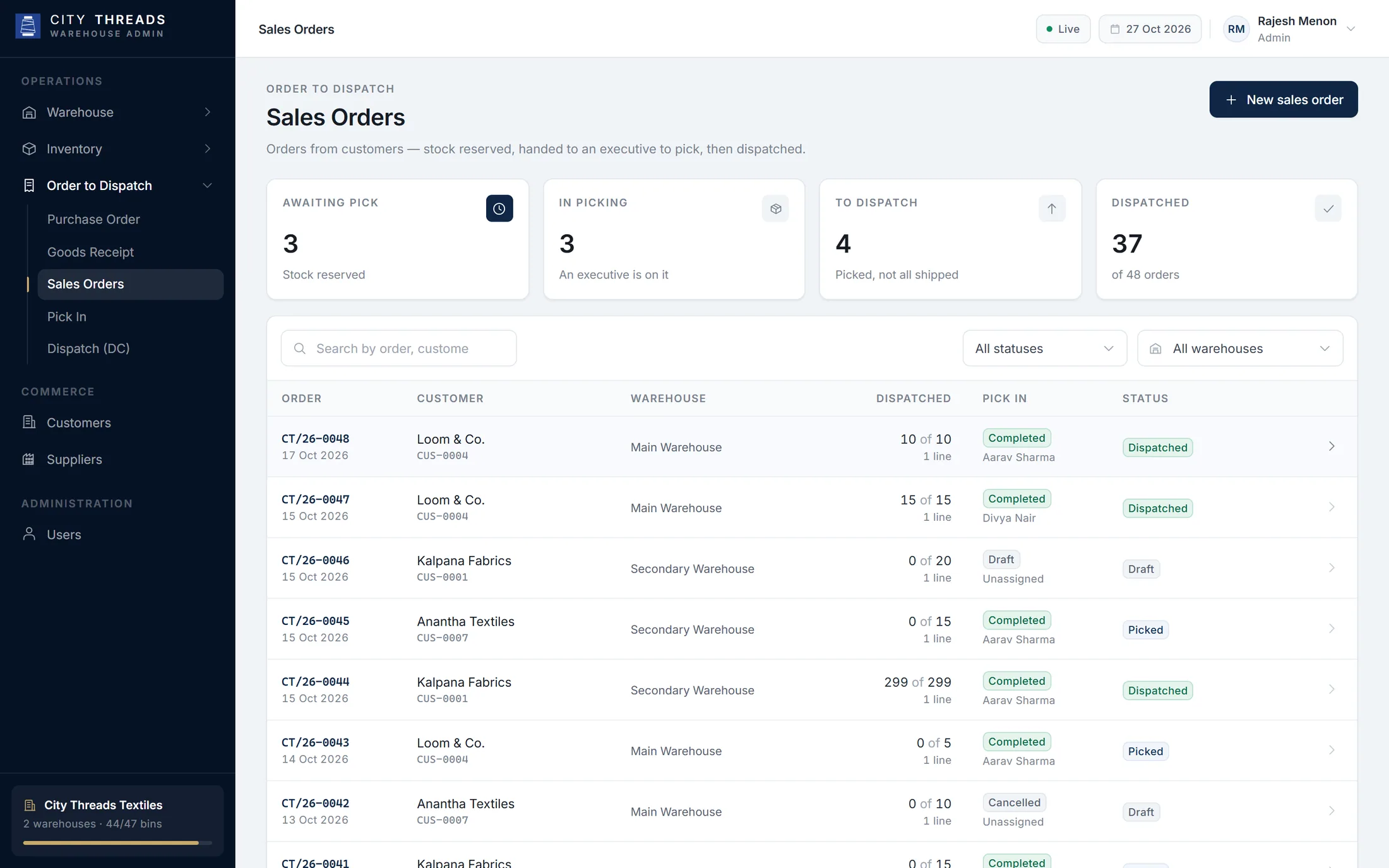
    Sales orders move through picking to dispatch, with every quantity reserved and accounted for.

    Sales orders pipeline
  4. 04

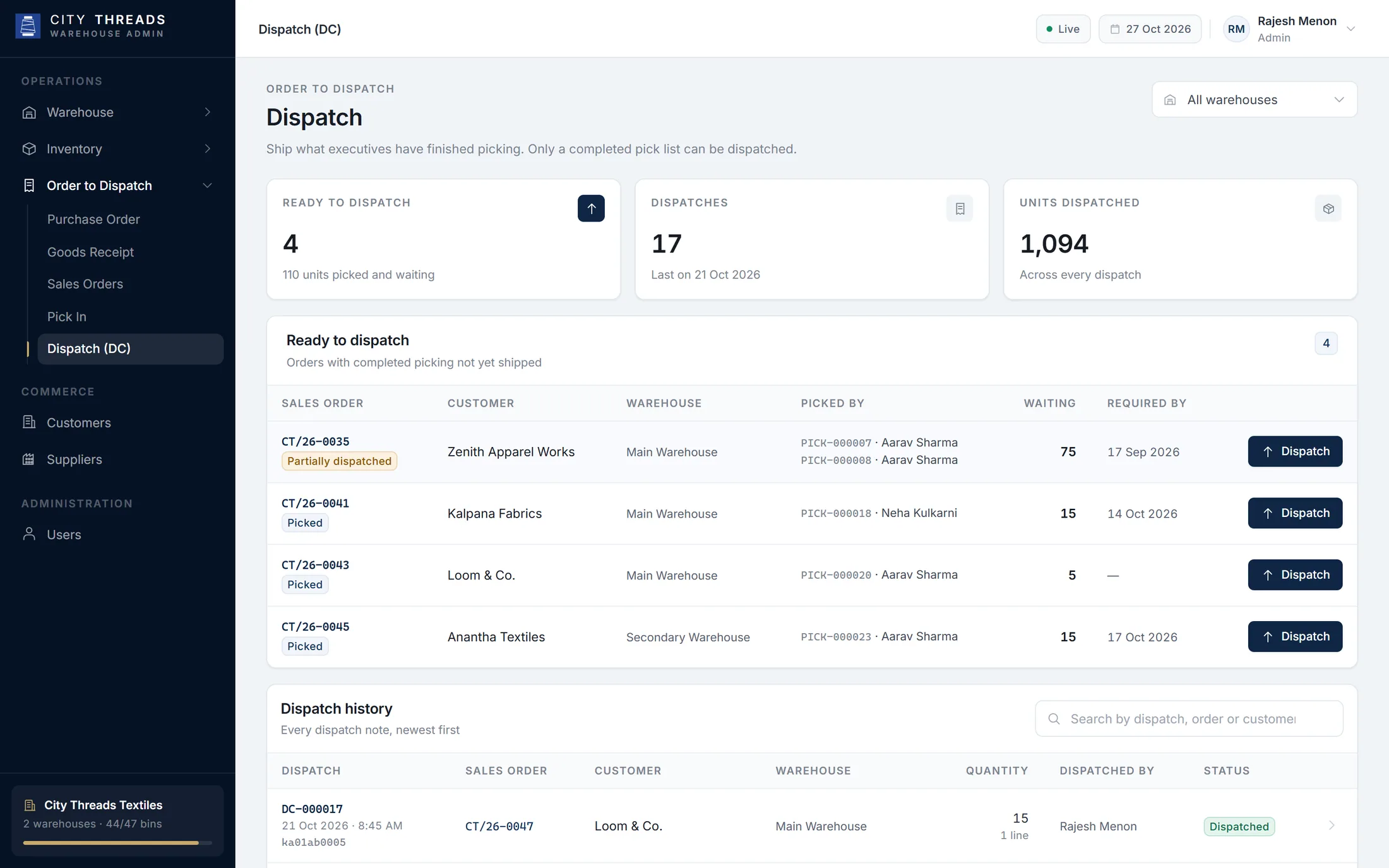
    Dispatch with proof

    Ready-to-ship orders and a full dispatch history with vehicle numbers and who sent what.

    Dispatch

Key capabilities

What the platform does.

  1. 01

    Barcoded stock units

    Every lot gets a permanent Stock ID and Code 128 barcode. Scan it with the phone camera, upload a photo or type the ID.

  2. 02

    Warehouse explorer

    Walk area → rack → bin to see capacity, occupancy and blocked locations, and change the structure in place.

  3. 03

    Order to dispatch

    Purchase orders and goods receipts in; sales orders, pick lists and dispatch out — with stock reserved on the way.

  4. 04

    Floor operations on the phone

    Goods inward, transfer, adjustment, cycle count, picking and dispatch — built for one hand.

  5. 05

    A ledger that reconciles

    Every movement is recorded. Counts verify the shelf without changing stock; differences are corrected with a reason.

  6. 06

    Commercial visibility

    Customers, suppliers, sales and executive performance alongside stock.

Role-based experience

Built for every role.

Each role sees only what it needs, on the device it actually works on.

Warehouse overview

Desktop workspace

Administrator

Sees and shapes the whole operation.

  • Overview of stock, utilisation and recent operations
  • Warehouse structure: areas, racks and bins
  • Purchase orders, sales orders and dispatch
  • Customers, suppliers and users
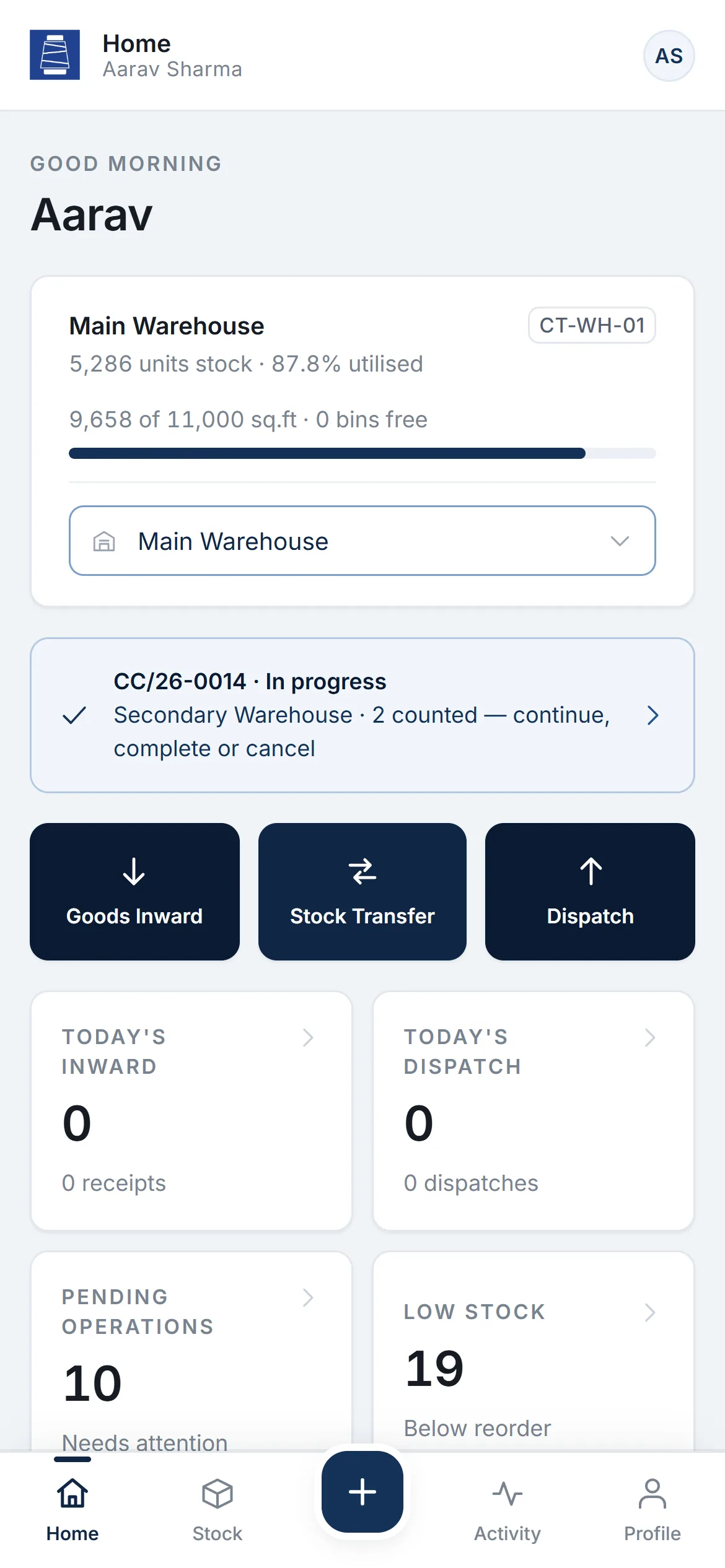
Executive home
Stock unit with barcode

Mobile app

Warehouse Executive

Works the floor, one-handed.

  • Home with capacity and today’s operations
  • Inward, transfer, adjustment, count, pick and dispatch
  • Scan or search any stock unit
  • Personal activity history

Responsive experience

One hand on the phone. One on the stock.

Executives scan, confirm and move on — inward, transfer, count, pick and dispatch. Administrators plan and review from the desktop.

Executive home

Executive home

Stock unit with barcode

Stock unit with barcode

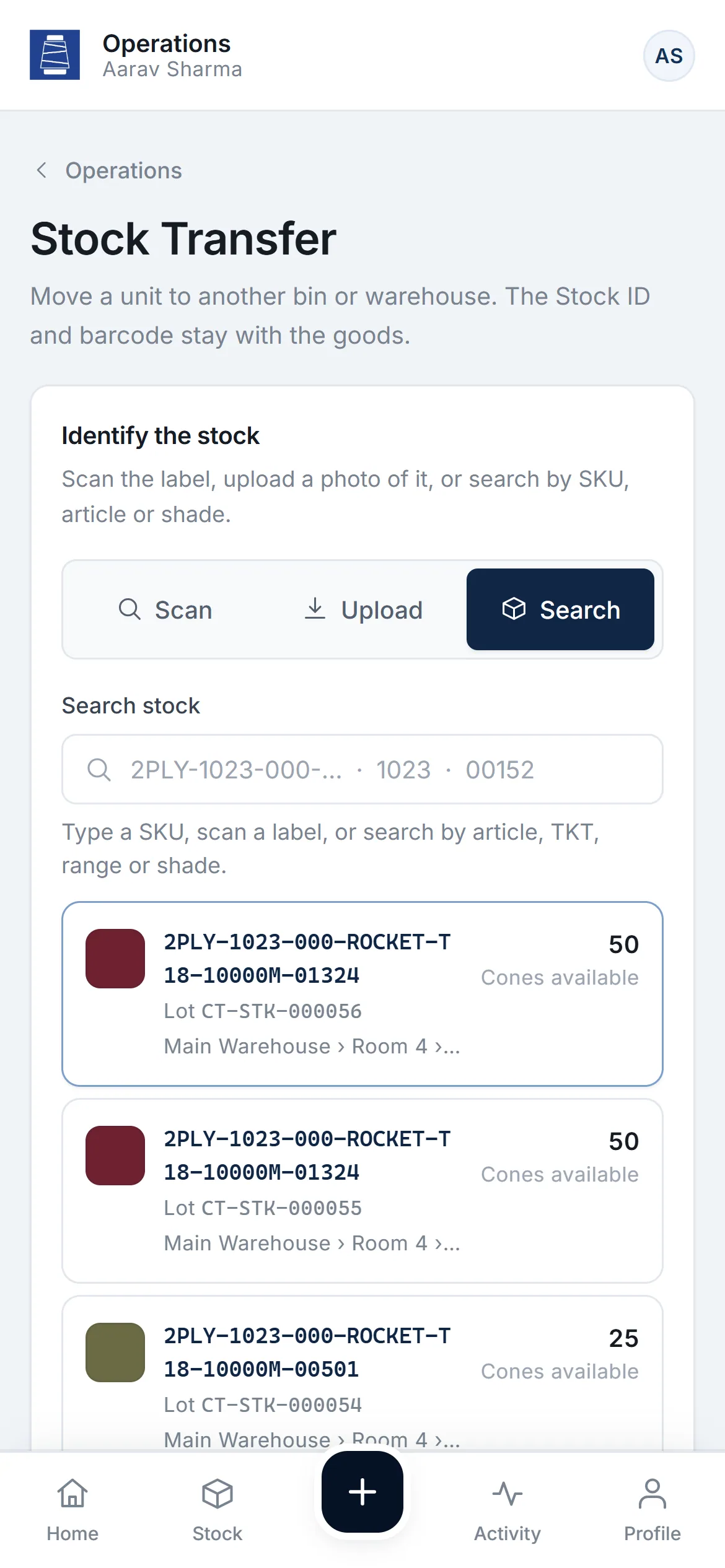
Stock transfer

Stock transfer

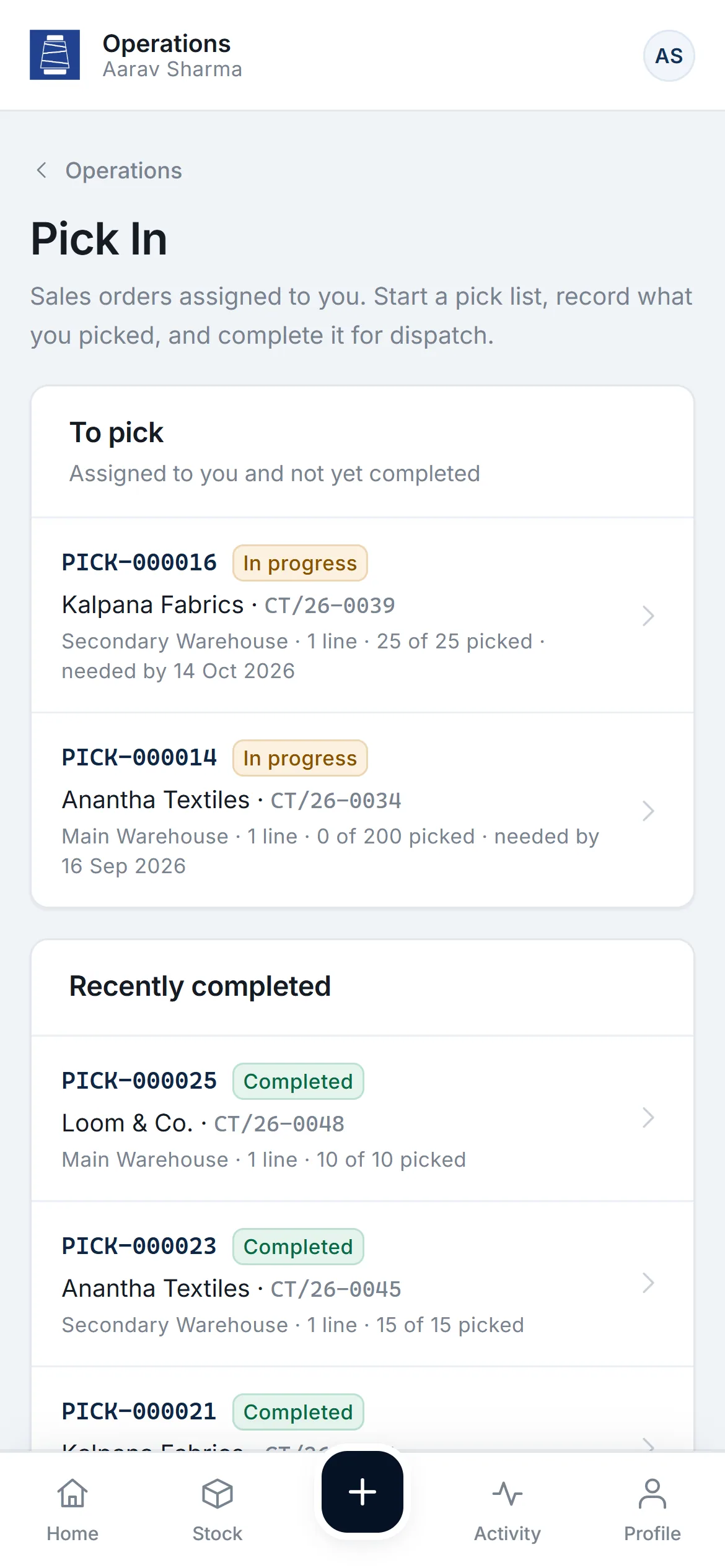
Pick list

Pick list

Business value

What it changes for the business.

  1. Find any lot, instantly

    Scan a label to see what it is, where it is and what to do next.

  2. Plan space with confidence

    Utilisation and free capacity are visible before put-away.

  3. Fewer errors on the floor

    One identification flow for every operation; counts never change stock silently.

  4. Real-time visibility

    Stock and operations across both warehouses, as they happen.

“CRITA helped us replace a fragmented inventory process with a much more organised and efficient system. The application gave our team better visibility, reduced manual work, and made it easier to track inventory in real time.”
Sreyash · City Threads

Technology & delivery

  • Next.js
  • React
  • PostgreSQL
  • Cloudflare Workers
  • Code 128 barcodes
  • Android app
  • Camera scanning through the browser’s native barcode detector, with manual entry always available
  • Bins are released only when stock reaches zero — enforced in one place
  • Served from Cloudflare’s global edge network

Product demo

See City Threads in a guided demo.

Our team will walk you through the Administrator and Warehouse Executive views and answer your questions.

Request Demo →

Opens an email to abishek@crita.in

Demonstration environment with sample data.